I currently can’t find a way to record audio in the software.
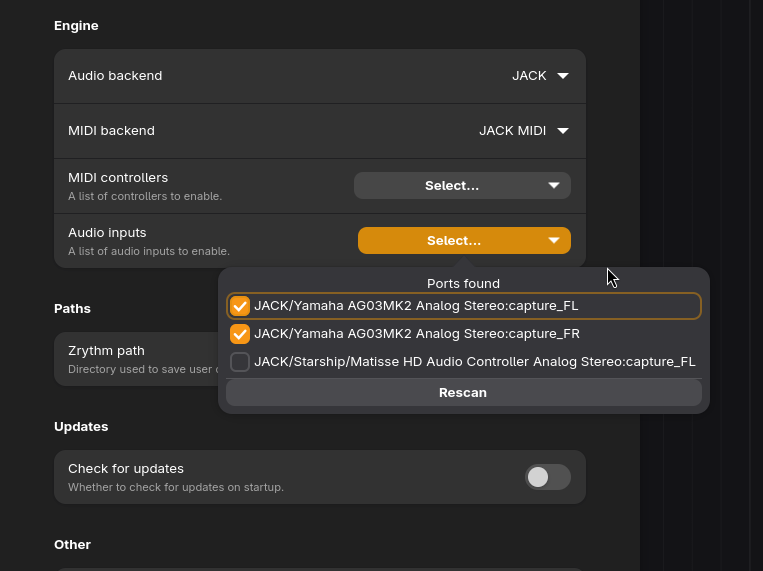
After selecting JACK as the audio backend, I can see the correct audio devices. Upon adding an audio track, selecting the correct inputs, and priming the track to record, I do not see any waveform when recording. Playing back the recorded sample, it is clear that there is no audio.
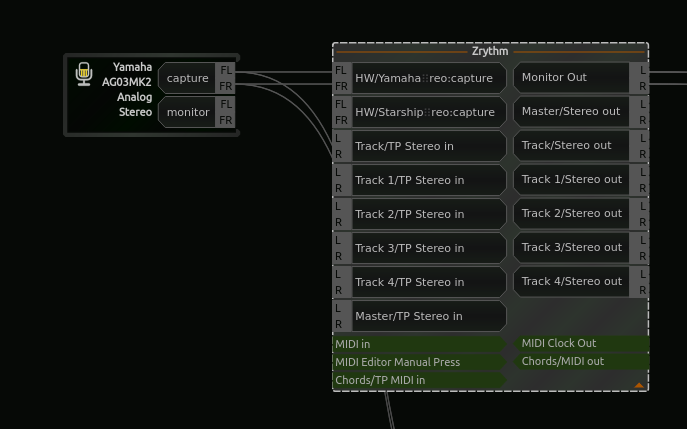
When using a patchbay, I can see that the correct audio channels are linked.
When using other applications, like tenacity, I can record the channels from my audio interface just fine (I made sure it was using jack).
I also noticed that the tracks do not save the ‘input’. Upon restarting the application, they are set to the default ‘No left / right input’.
After looking at the terminal output I see nothing of note, but I do not know what I am looking for really.
NAME="Arch Linux"
PRETTY_NAME="Arch Linux"
ID=arch
BUILD_ID=rolling
ANSI_COLOR="38;2;23;147;209"
HOME_URL="https://archlinux.org/"
DOCUMENTATION_URL="https://wiki.archlinux.org/"
SUPPORT_URL="https://bbs.archlinux.org/"
BUG_REPORT_URL="https://gitlab.archlinux.org/groups/archlinux/-/issues"
PRIVACY_POLICY_URL="https://terms.archlinux.org/docs/privacy-policy/"
LOGO=archlinux-logo

XDG_SESSION_TYPE=wayland
XDG_CURRENT_DESKTOP=(null)
DESKTOP_SESSION=(null)

Carla version: 2.6.0-alpha1
GTK version: 4.18.6
libadwaita version: 1.7.6
libpanel version: 1.10.0
Please let me know if I am doing something wrong!
I really enjoy the ui, and ease of use while also having tons of functionality!
Thank you.
After a few days of trying to figure it out using random different settings I got it to work for one session. Unfortunately any other attempts have failed. As soon as I restarted the program, the audio no longer recorded.
Unsure of what exactly I did different this time.
I have spent more hours on this than I’d like to admit.
Can’t figure it out.
Any help would be appreciated.
Thank you.
I’m also experiencing this issue.
I am using the stable Flatpak on Bluefin OS (based on Fedora), with the Focusrite Scarlett Solo 4th Gen audio interface and JACK (pipewire) backend. It does work occasionally, but it is random and rare.
After another ~10-15 hours, I still have yet to have a successful recording other than the one time I randomly had it working.
Hoping V2 will solve the issues I am having.
Excited for its release.
Found a way to route audio to the application.
Using an application like GuitariX launched outside of zrythm, I was able to get zrythm to actually get it to record.
Here is a quick demonstration of me tapping the end of my audio cable. Sorry for the mic peaking. I probably should have just played an open string.
Explanation:
I have launched ray-sessions with a blank session.
Then I edited the buffer to the preferred size.
Then launch GuitariX.
Then launch Zrythm.
If I connect my audio interface to the open jack port in Zrythm, the application does not accept the audio.
If I connect my audio interface to GuitariX, then connect GuitariX to the audio interface jack port on Zrythm, the application still does not accept the audio.
However:
If I connect both the GuitariX application output, and my audio interface to the audio interface jack port in Zrythm, somehow the audio comes through.
No idea why. Not sure if this results in ‘double audio input’. However, this is the first time I have been able to get audio from my audio interface reliably to Zrythm.
This seems super strange to me. Especially since you have to connect BOTH GuitariX and the audio interface to the Zrythm jack port.
I have similar issue. I was trying to record recently and even after selecting right device and input, I don’t see any signal from the input mic.
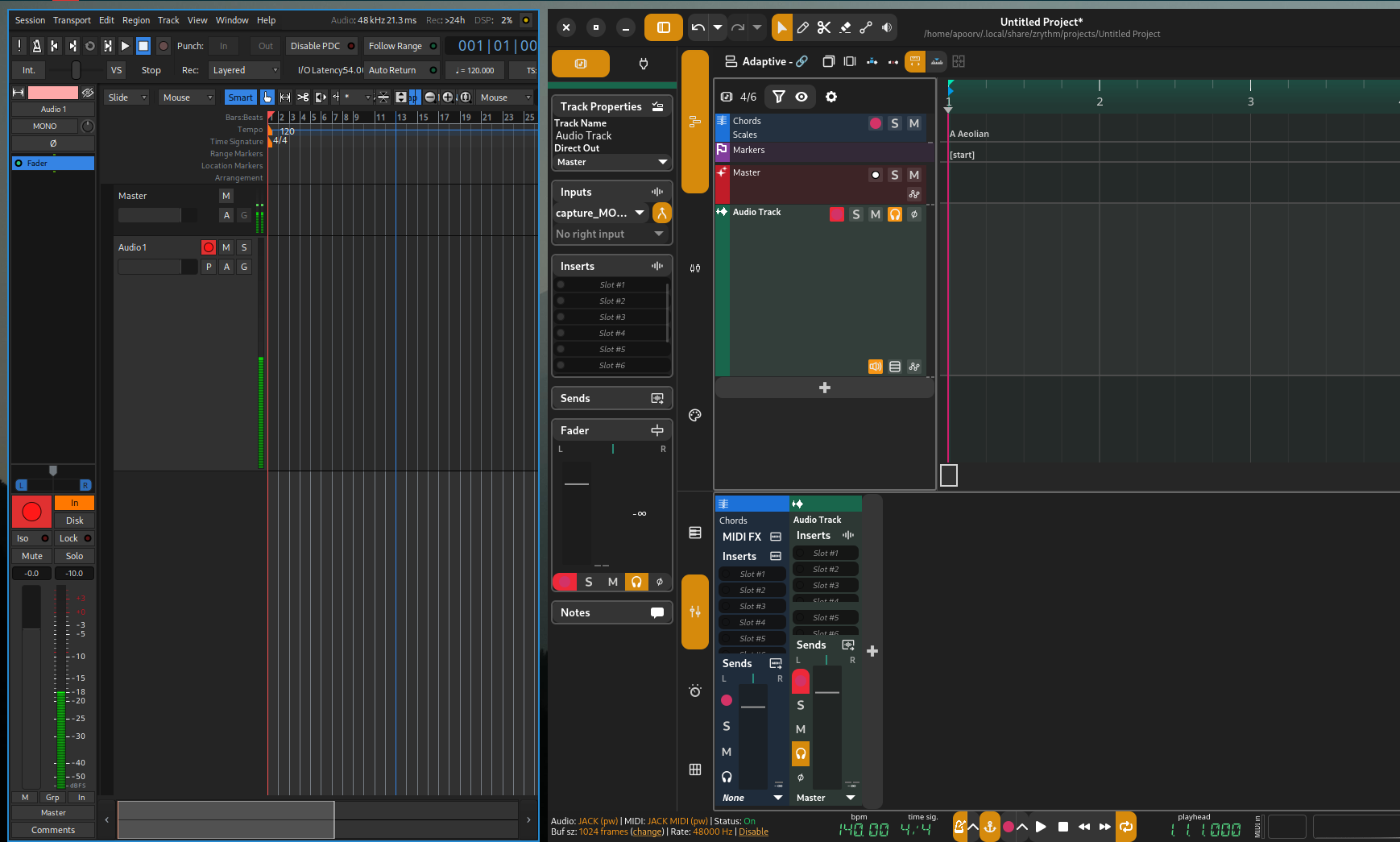
Here is Ardour and Zrythm side-by-side using same input. You can see Ardour has input signal flowing while Zrythm doesn’t.
This is Zrythm v1 branch compiled and installed manually.
I also tried a older version on my laptop and have the same issue.